Facebook is no longer just a place to share photos with friends. With over 3 billion monthly active users, it has evolved into one of the most powerful platforms for content creators to make real money online. Whether you create videos, write engaging posts, or run a thriving community, Facebook offers multiple ways to earn.
But here’s the thing — many beginners don’t know where to start. The process can feel confusing with terms like “in-stream ads,” “Stars,” “Reels Play Bonus,” and “Creator Studio” floating around.
Don’t worry. This guide breaks everything down in simple, easy-to-follow steps. By the time you finish reading, you’ll know exactly how to qualify, apply, start earning, and withdraw your money. Let’s dive in!
Facebook monetization refers to the set of tools and programs that allow content creators and page owners to earn money directly through the platform. Instead of relying on third-party brands to approach you, Facebook itself pays you based on the content you publish and how your audience engages with it.
There are several ways Facebook monetizes creators, including showing ads in your videos, allowing fans to send you virtual tips (called Stars), and offering bonus programs for reels and other content formats. All of these are managed through the Facebook Creator Studio or the newer Meta Business Suite.
Good to Know: Facebook monetization is available for both personal profiles and pages, but pages have more monetization options and are highly recommended for creators who want to earn consistently.
2. Eligibility Requirements You Must Meet
Before you can apply, your Facebook page must meet Facebook’s Partner Monetization Policies and specific requirements for each monetization feature. Here’s a clear breakdown:
Requirement
Details
Status
Page Type
Must be a Facebook Page (not a personal profile)
Mandatory
Followers
At least 10,000 followers on your page
Required
Video Views
600,000 total minutes watched in the last 60 days (for in-stream ads)
Required
Active Videos
At least 5 active video uploads on your page
Required
Country Eligibility
Must be in a country supported by Facebook’s monetization programs
Mandatory
Policy Compliance
Your page must follow Facebook’s Community Standards and Content Monetization Policies
Required
Age Requirement
You must be at least 18 years old
Mandatory
Important: If your page has received any strikes for violating community standards or copyright infringement, your application may be rejected. Make sure your content is 100% original and policy-compliant before applying.
3. Setting Up Your Page for Monetization
Before applying, make sure your page is fully optimized. Think of this as preparing your “business profile” for Facebook’s review team.
Create or Convert to a Facebook Page Go to facebook.com/pages/create. Choose a category that best fits your content — such as “Content Creator,” “Entertainment,” or “Education.” Fill in your page name, description, and profile photo. A professional-looking page performs better.
Complete Your Page Information Add a cover photo, fill in the “About” section completely, and include your website if you have one. Pages with complete profiles are more trusted by both Facebook and your audience.
Connect to a Facebook Business Account Go to business.facebook.com and link your page to a Business Manager account. This is required to receive payments and manage your monetization settings professionally.
Start Publishing High-Quality Content Consistently Post original videos, reels, and written content regularly. Facebook’s algorithm favors active pages. Aim for at least 3-5 posts per week to grow your followers and video watch time organically.
Check Your Eligibility in Creator Studio Once you have a decent following, go to business.facebook.com/creatorstudio → Click “Monetization” in the left menu → Select your page → Facebook will show you exactly what requirements you still need to meet.
4. How to Apply for Facebook Monetization
Once your page meets all the requirements, applying is a straightforward process. Follow these steps carefully:
Go to Creator Studio Visit business.facebook.com/creatorstudio on a desktop browser and log in with your Facebook account.
Navigate to the Monetization Tab On the left-hand sidebar, click on “Monetization.” If this tab is not visible, your page may not yet meet the minimum requirements. Continue growing your page first.
Select Your Page and Choose Monetization Tools Select the page you want to monetize. You’ll see available tools such as In-Stream Ads, Stars, and Subscriptions. Click on each one to view specific eligibility status.
Accept Facebook’s Policies You’ll be asked to review and agree to Facebook’s Partner Monetization Policies and Content Monetization Policies. Read these carefully — they outline what content is allowed to earn money.
Set Up a Payout Account Facebook will prompt you to add a payment method (bank account or PayPal, depending on your country). This is where your earnings will be sent. Fill in all required details accurately.
Submit and Wait for Approval After completing the setup, click “Submit.” Facebook typically reviews applications within 3-5 business days. You’ll receive a notification in your Page email and via Facebook notifications once approved.
Pro Tip: If your application is rejected, don’t give up! Facebook will tell you the specific reason. Fix the issue (such as removing policy-violating content), and you can reapply after 30 days.
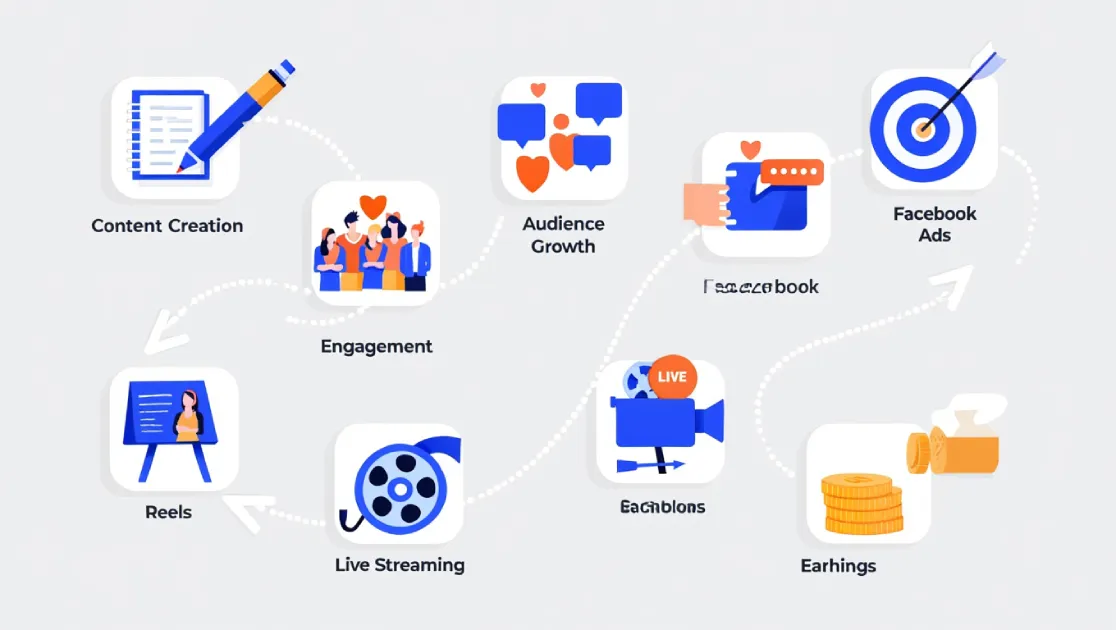
Once approved, you’ll have access to multiple income streams. Here are the main ways Facebook pays its creators:
📺 In-Stream Ads Short ads are placed before, during, or after your videos. You earn based on CPM (cost per 1,000 views). Best for long-form video creators.
⭐ Facebook Stars Fans can buy and send you virtual Stars during live streams or on videos. Facebook pays you $0.01 per Star received.
💳 Fan Subscriptions Offer exclusive content to paying subscribers. Fans pay a monthly fee (e.g., $4.99/month) and you earn a percentage.
🎬 Reels Play Bonus Facebook’s invite-only program pays creators for their Reels based on performance. You need strong reel engagement to qualify.
🛒 Facebook Shops & Affiliate Sell products via Facebook Shops or earn commissions by promoting other brands’ products through affiliate links.
🤝 Brand Collaborations Use the Brand Collabs Manager to connect with brands for paid partnerships and sponsored content deals.
Which Earning Method is Best for Beginners?
If you’re just starting out, In-Stream Ads and Facebook Stars are the easiest to activate and start earning from. Stars work great if you go live regularly — your community can support you in real time. As your audience grows, Fan Subscriptions and Brand Collaborations will open up more significant income opportunities.
Getting approved is just the beginning. Here’s how to maximize how much you earn month after month:
Post Videos Consistently In-Stream Ad earnings are directly tied to video views. The more quality videos you post, the more ads are shown, and the more you earn. Aim for at least 3-4 videos per week.
Focus on Watch Time, Not Just Views Facebook’s algorithm rewards content that keeps viewers watching. Create engaging videos with strong hooks in the first 3 seconds and compelling content throughout. Longer watch times = more ad revenue.
Go Live Regularly Live streams are excellent for earning Stars. Announce your live sessions in advance, interact with your audience, and remind them they can support you with Stars during the broadcast.
Analyze Your Facebook Insights Check Creator Studio’s “Insights” tab weekly to see which content is performing best. Double down on the content types and topics that get the most views and engagement.
Target High-CPM Audiences Audiences from countries like the USA, UK, Canada, and Australia generate much higher ad revenue. Creating content in English and targeting global topics can significantly boost your CPM rates.
7. How to Withdraw Your Facebook Earnings
This is the part everyone is most excited about! Once you’ve accumulated earnings, here’s exactly how you receive your money:
Understanding Facebook’s Payment Threshold
Facebook pays creators on a monthly basis. However, there is a minimum payout threshold — usually $100 USD — that you need to reach before a payment is issued. If you don’t reach $100 in a given month, your earnings roll over to the next month.
Verify Your Payment Account In Creator Studio, go to Monetization → Payout Settings. Confirm your bank account or PayPal is correctly set up. Make sure your name exactly matches your bank account name to avoid payment rejections.
Complete Identity Verification Facebook may ask you to verify your identity by submitting a government-issued ID (such as a national ID card or passport) and possibly your tax information. This is a one-time process and is required for legal compliance before your first payment.
Submit Tax Information (If Required) If you’re a US-based creator, or if Facebook asks, you’ll need to submit a W-9 or W-8BEN tax form. This is done directly inside Creator Studio under Payout Settings. Non-US creators typically fill out a W-8BEN form to confirm non-US status and receive the correct tax treatment.
Facebook Processes Your Payment Around the 18th-21st of every month, Facebook calculates your earnings from the prior month and initiates payment. The money typically arrives in your bank account within 3-7 business days depending on your country and bank.
Receive Your Money Your earnings are deposited directly into your linked bank account or PayPal account. You’ll also receive an email notification from Facebook confirming the payment. You can view a full payment history any time inside Creator Studio → Monetization → Payments.
Available Payout Methods by Region
Facebook supports different payout methods depending on your country:
Payout Method
Supported Regions
Processing Time
Bank Transfer (ACH)
USA, Canada, most of Europe
3-5 business days
PayPal
Worldwide (where PayPal is available)
1-3 business days
International Wire
Asia, Africa, Middle East, Latin America
5-10 business days
Note: Facebook does not support cryptocurrency or cash payment methods. Always use a verified bank account or PayPal to avoid payment delays or account issues.
8. Frequently Asked Questions
How long does it take to get approved for Facebook monetization? Facebook typically reviews monetization applications within 3-5 business days. In some cases, it may take up to 2 weeks depending on the volume of applications.
Can I monetize a brand new Facebook page? No. You must meet the follower and watch time thresholds before applying. Focus on growing your page organically for at least 3-6 months first, then apply once you hit the requirements.
What happens if I violate Facebook’s policies after being approved? Facebook can demonetize specific videos or your entire page if you violate policies. Repeated violations can result in permanent removal from the monetization program. Always follow the Community Standards carefully.
How much can I realistically earn from Facebook? Earnings vary widely. Creators typically earn $1-$5 per 1,000 video views through in-stream ads. A page with 100,000 monthly video views could earn $100-$500/month. Stars, subscriptions, and brand deals can significantly increase this amount.
Is Facebook monetization available in Bangladesh and South Asia? Yes! Facebook monetization is available in Bangladesh and many South Asian countries. Bank transfers and PayPal are the most common payout options in this region. Make sure your local bank supports international wire transfers.
What’s the minimum payout threshold? The standard minimum payout threshold is $100 USD. Earnings below this amount roll over to the following month until the threshold is reached.
You’re Ready to Start Earning on Facebook!
Facebook monetization is a real, proven way to earn income online — and it’s more accessible than ever in 2026. Start by building a strong, consistent content strategy, meet the requirements, apply through Creator Studio, and set up your payout method. With patience and consistency, your Facebook page can become a reliable income stream. Now go create something amazing!